
PiaNote - For Piano Practice Beginners! An App to Check Notes Played on MIDI Keyboard on Screen
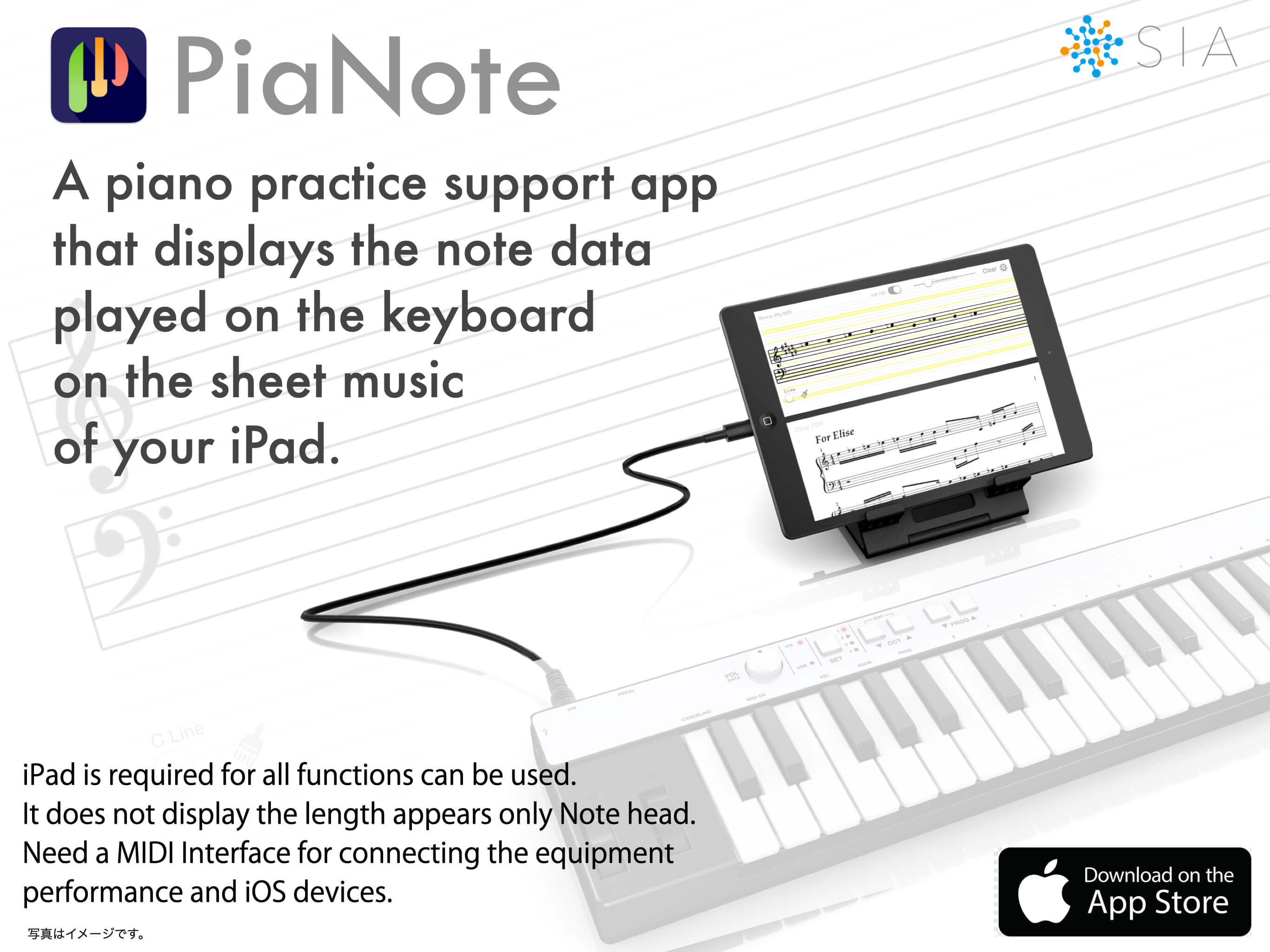
PiaNote is a MIDI note data display application for iPad and iPhone.
Attention piano beginners!
When playing music with sharps and flats, checking whether the keys you press match the notes in the sheet music can be a struggle. Counting the lines on the staff (Do, Re, Mi...) can be tiring for your eyes.
When playing music with sharps and flats, checking whether the keys you press match the notes in the sheet music can be a struggle. Counting the lines on the staff (Do, Re, Mi...) can be tiring for your eyes.
PiaNote is an innovative practice support app that eliminates these struggles.

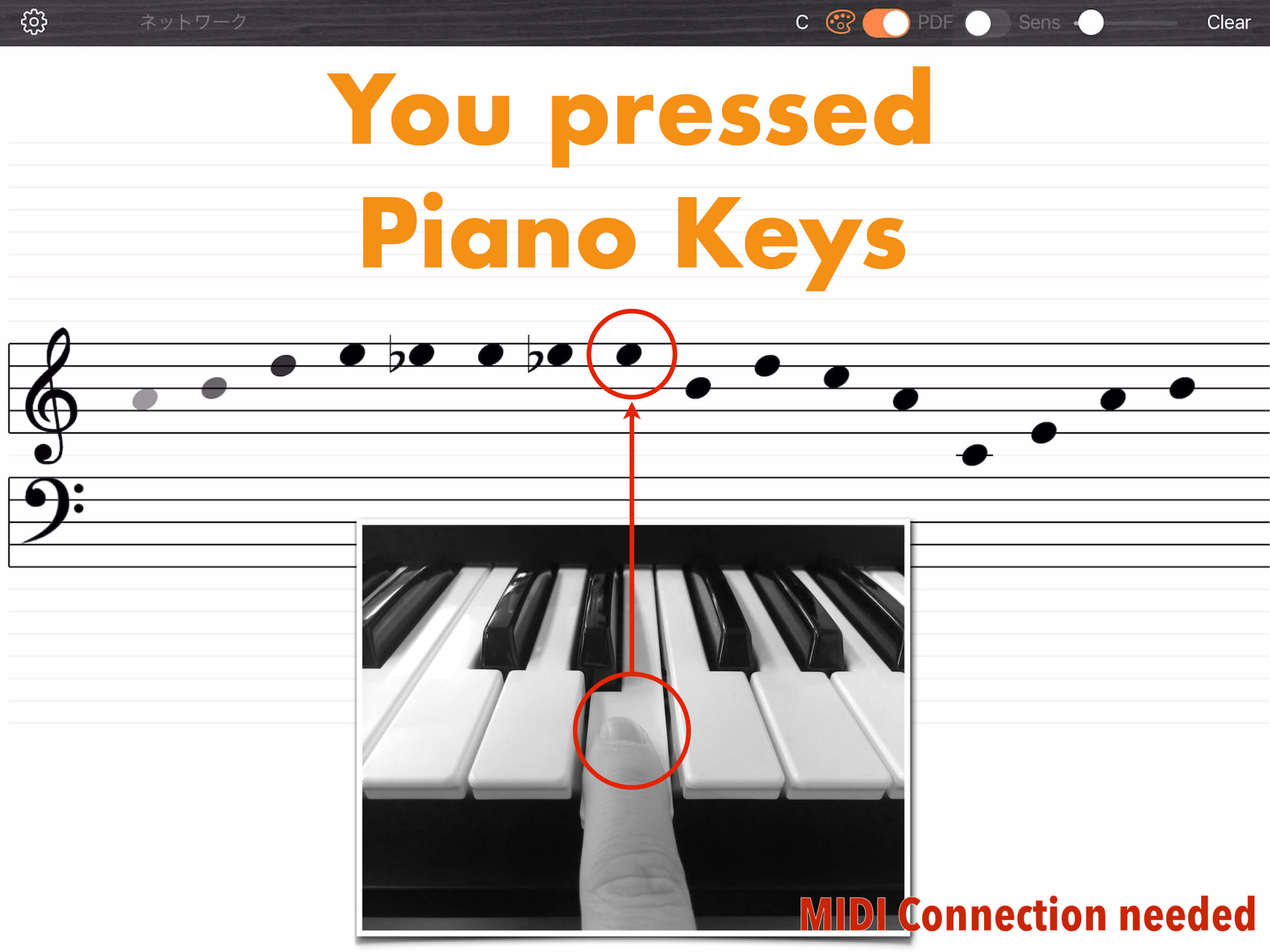
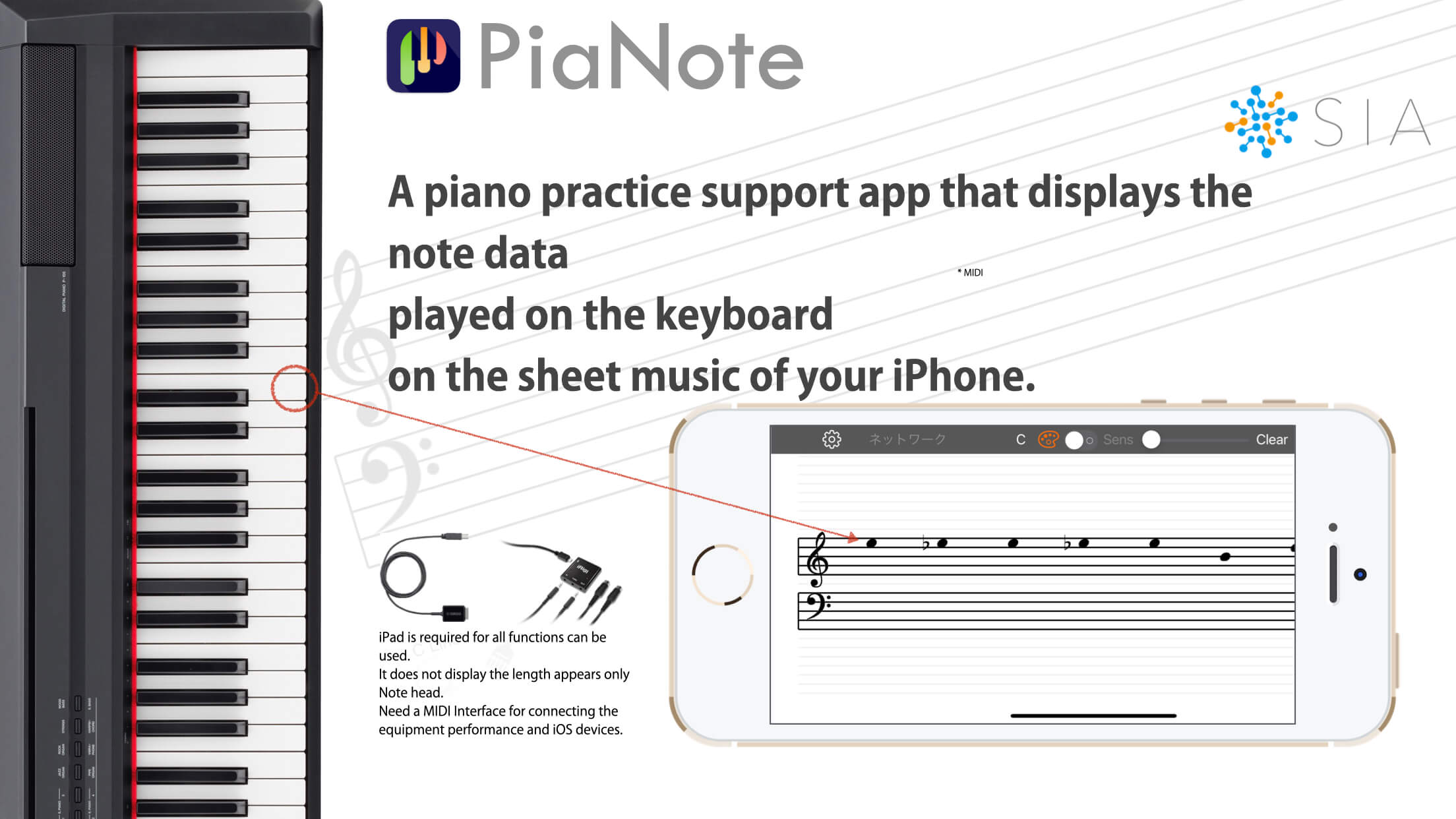
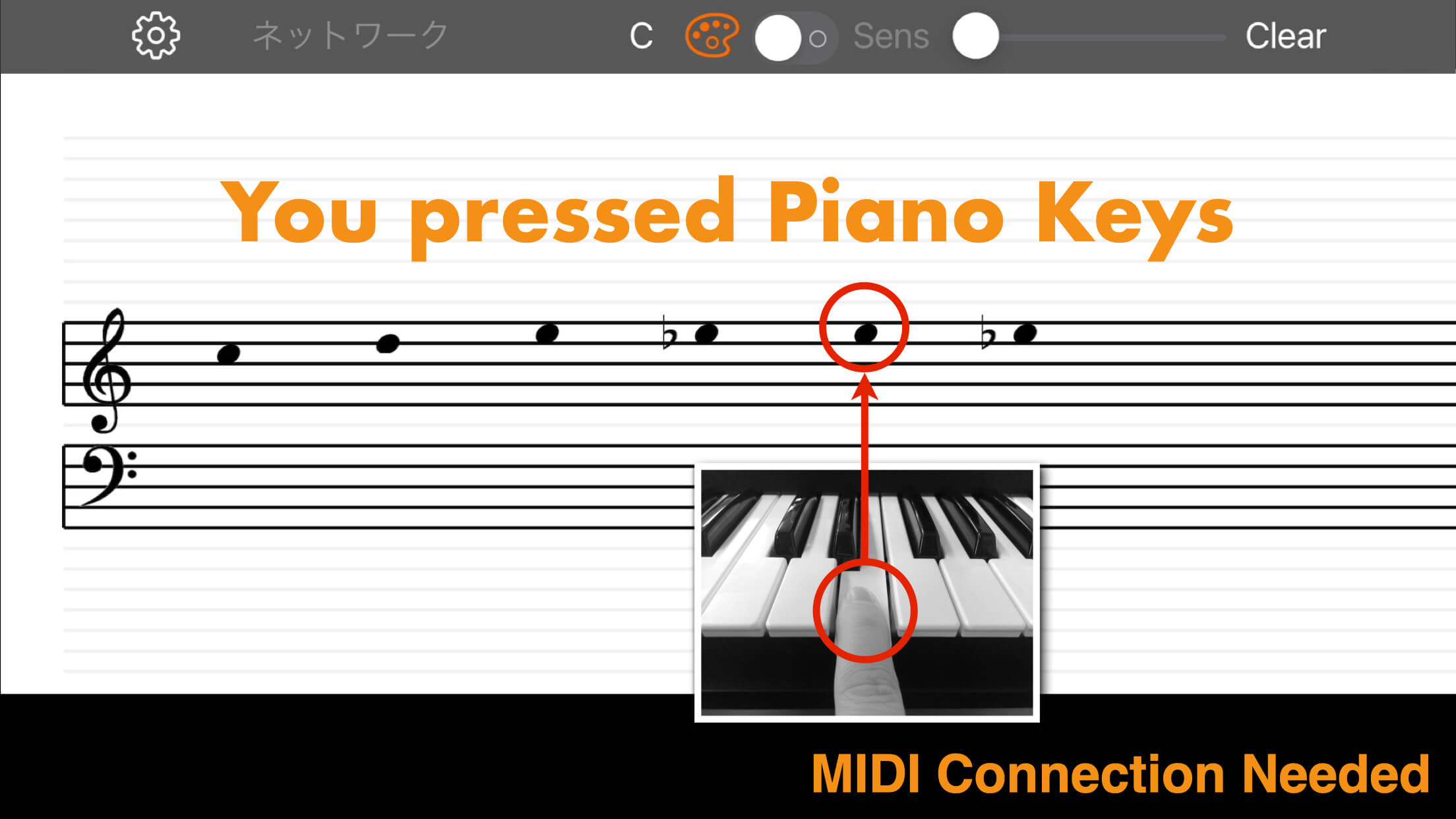
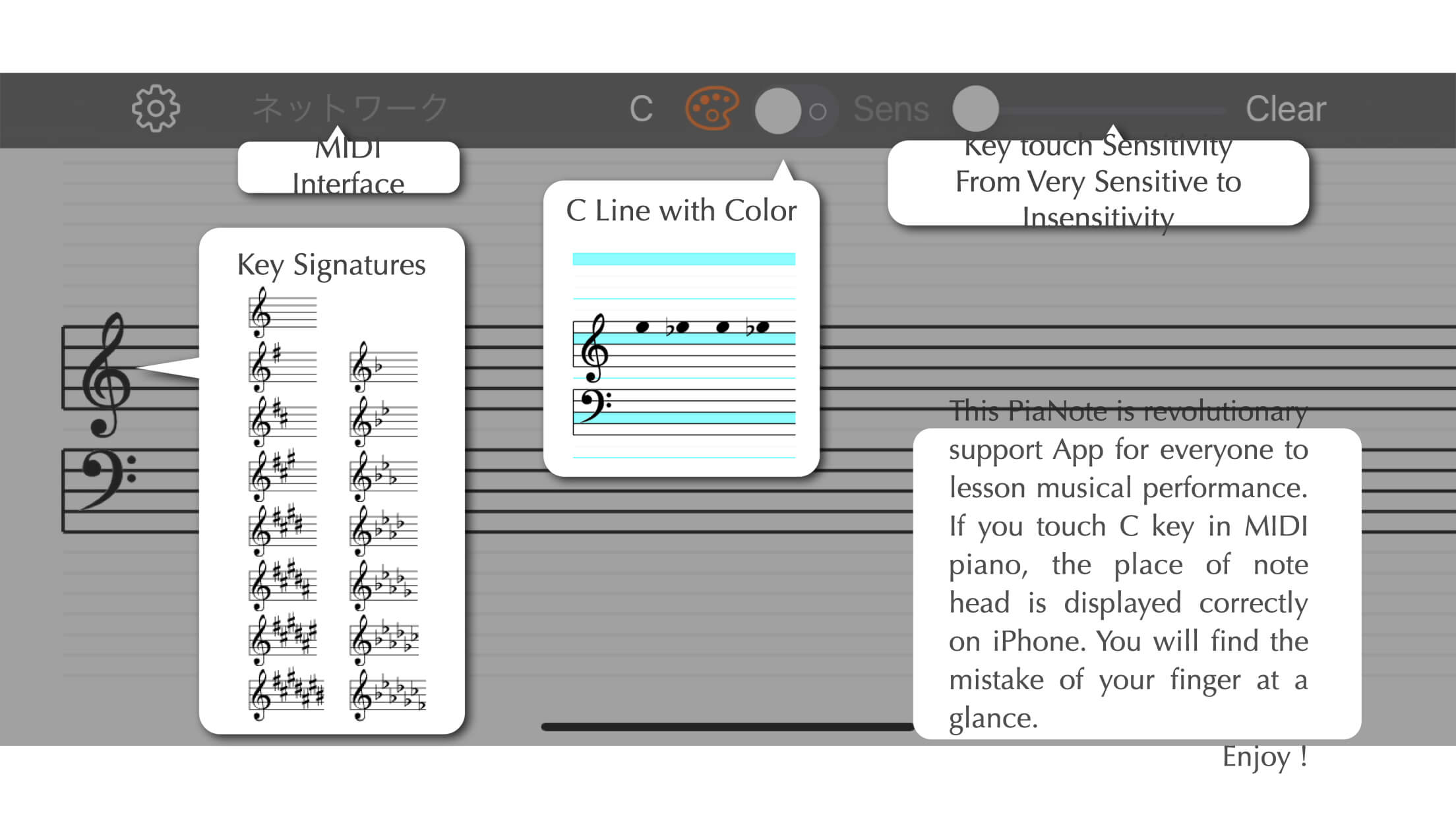
When you press C on the piano, a note appears at that position on your iPad (or iPhone). You can instantly see if the note you played differs from the one in the sheet music.
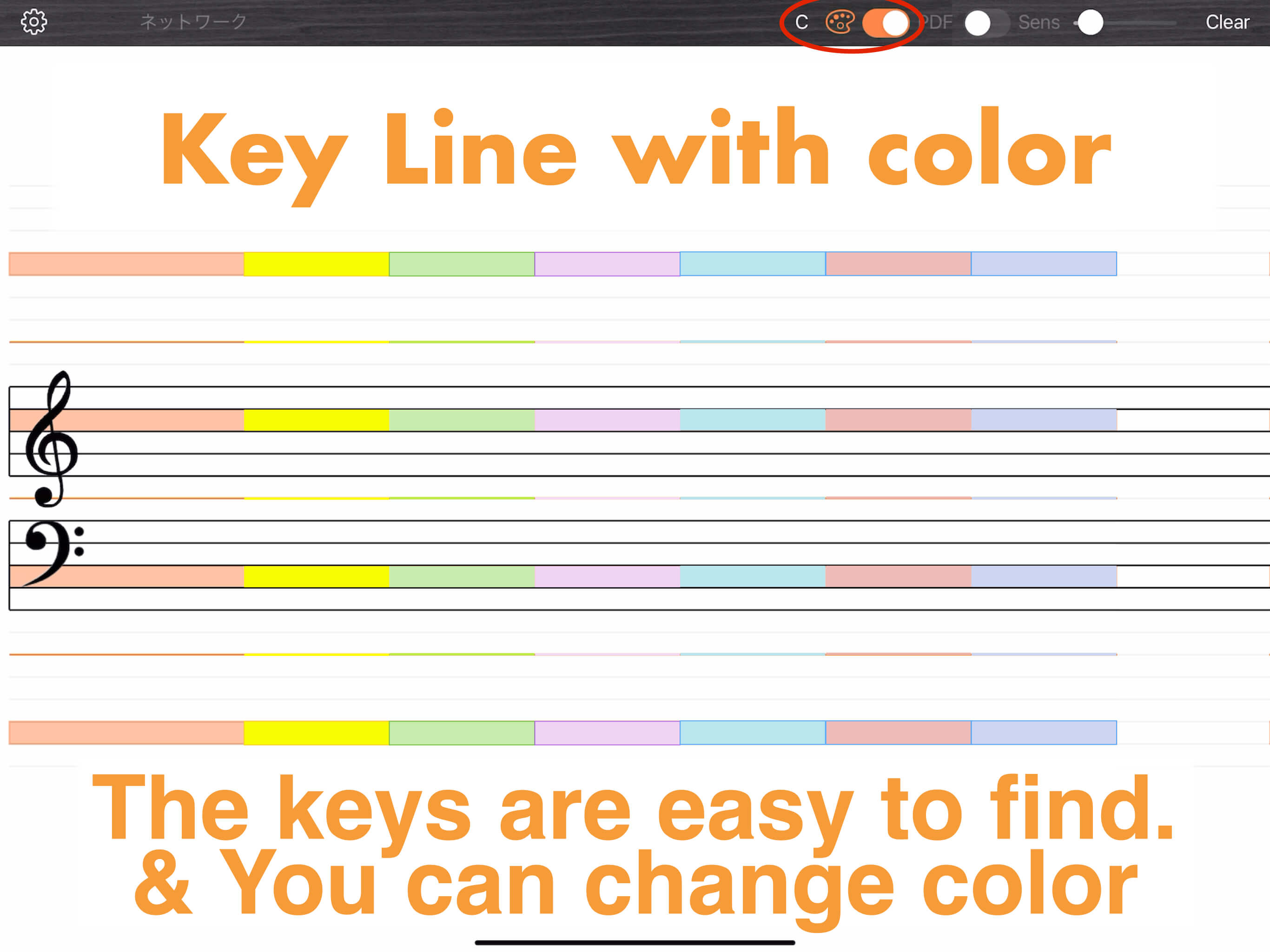
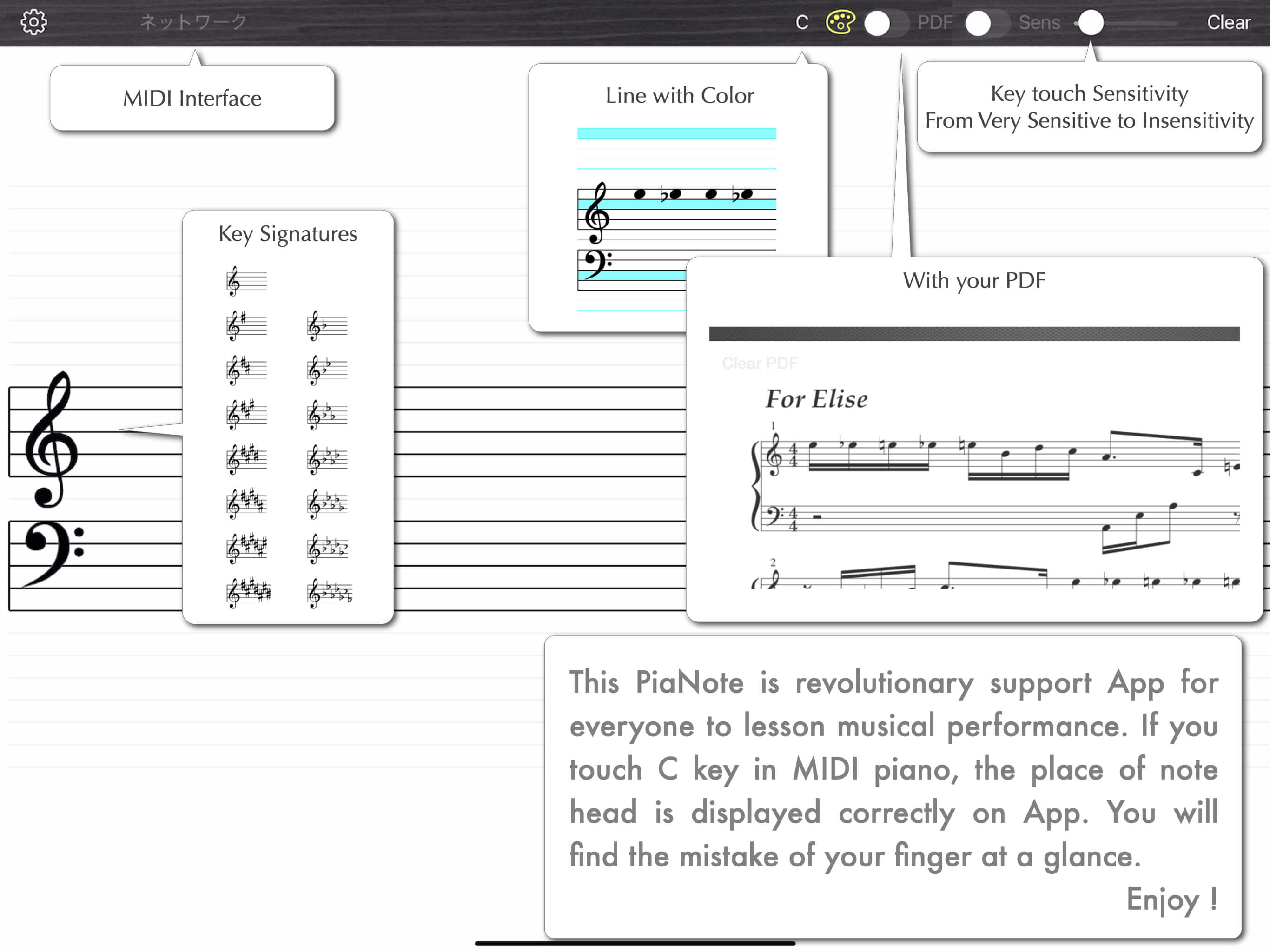
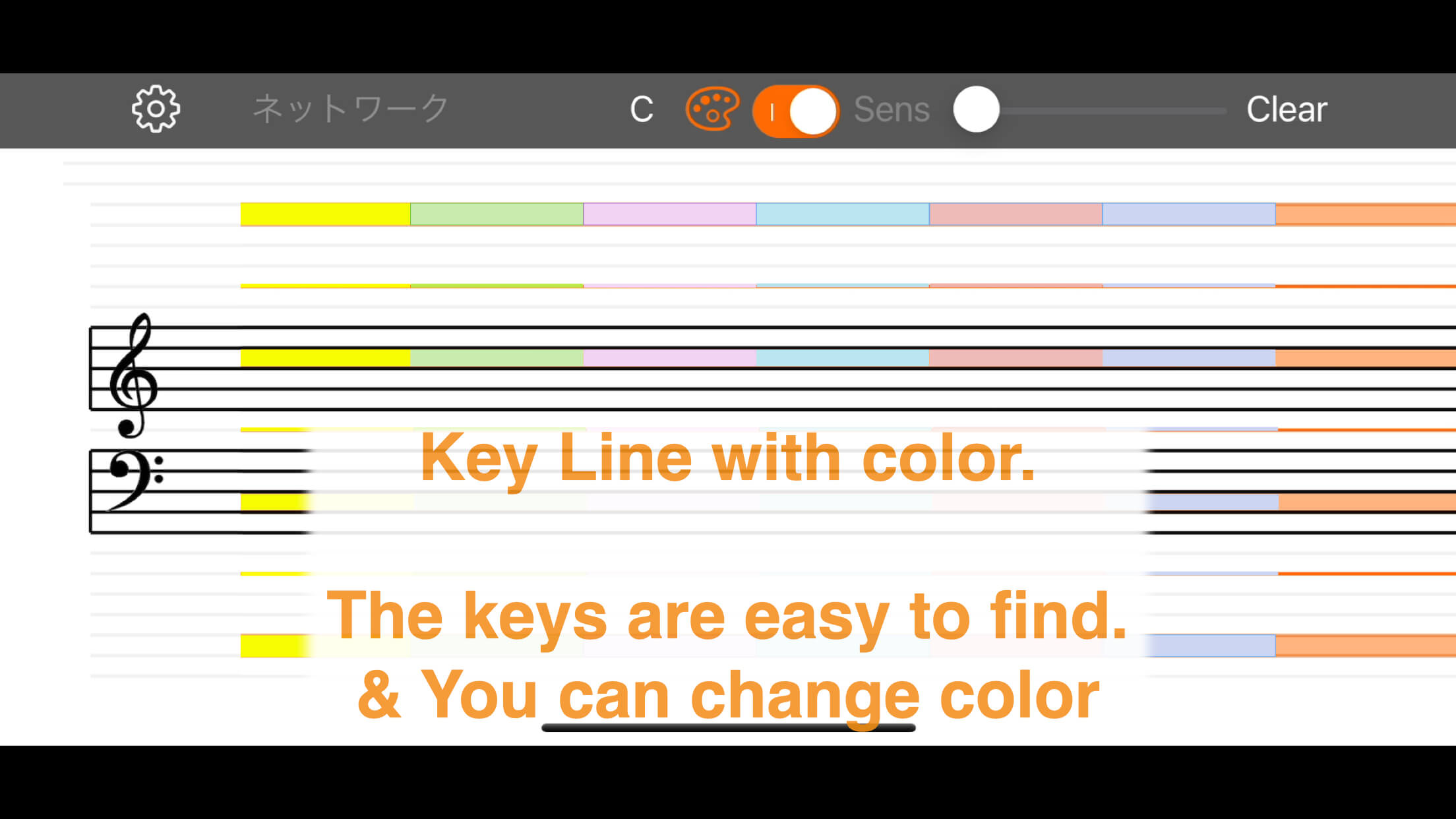
You can also mark the C positions on the staff. This helps you know where to move your hands as soon as you look at the sheet music. The mark colors can be customized.
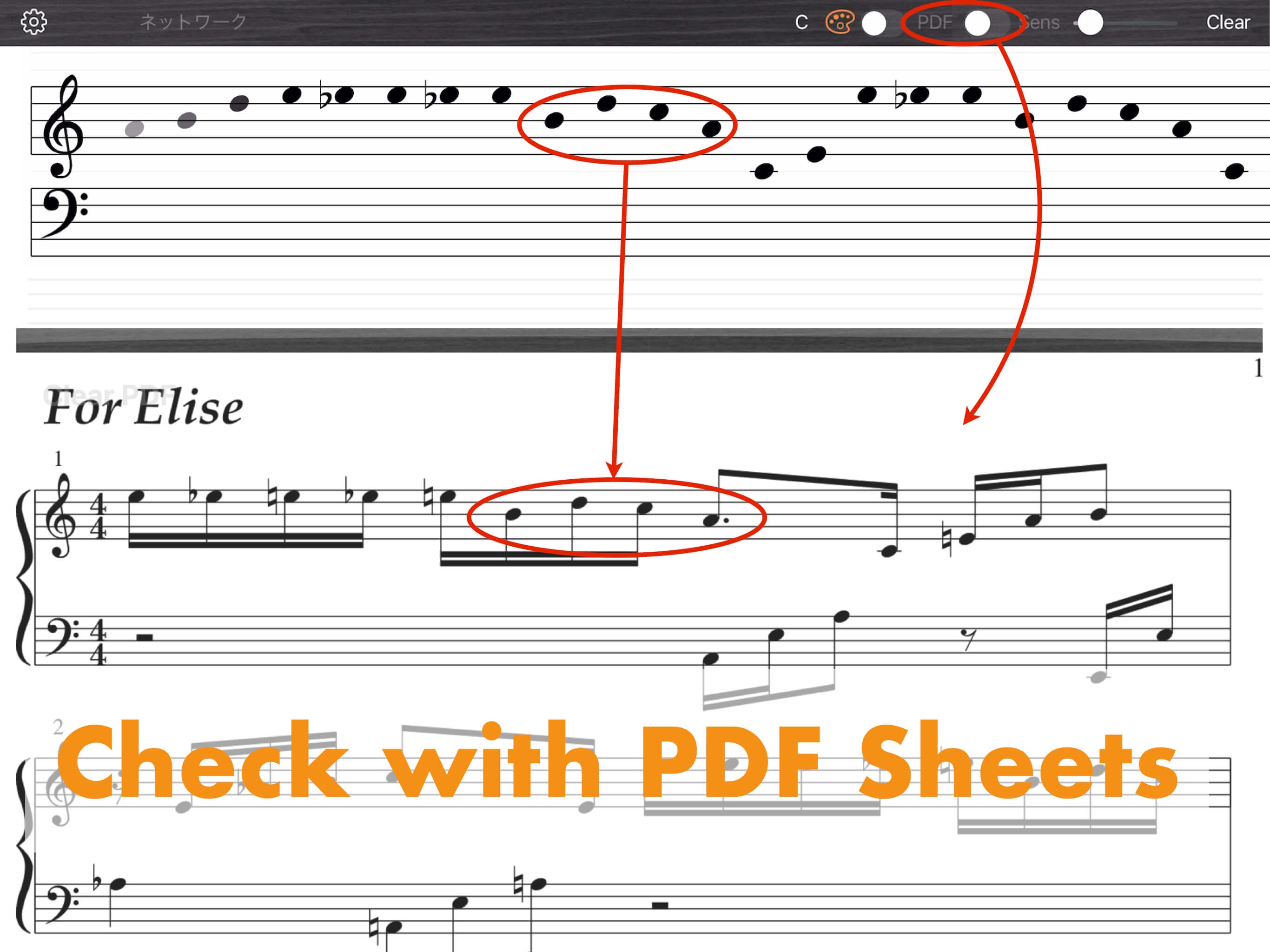
You can also display PDF sheet music in the bottom half of the screen (iPad only).
Transfer your sheet music to your iPad and practice anywhere, anytime with just this app, or play while checking the PDF sheet music against the keys you press.
Transfer your sheet music to your iPad and practice anywhere, anytime with just this app, or play while checking the PDF sheet music against the keys you press.
Key Features
- Displays MIDI IN note information on the on-screen staff
- Note duration is not displayed. All notes appear as note heads only.
- You can mark reference C positions with customizable colors (C1, C2, C3, C4, C5, C6)
- Displays the full range equivalent to an 88-key piano
- On iPad, you can display PDF sheet music side by side (this feature is not available on iPhone)
- PDFs can be transferred to iPad using iTunes File Sharing
- PDFs can also be transferred from other apps using "Open In"
- PDF display transparency can be adjusted
- MIDI data reception sensitivity can be changed
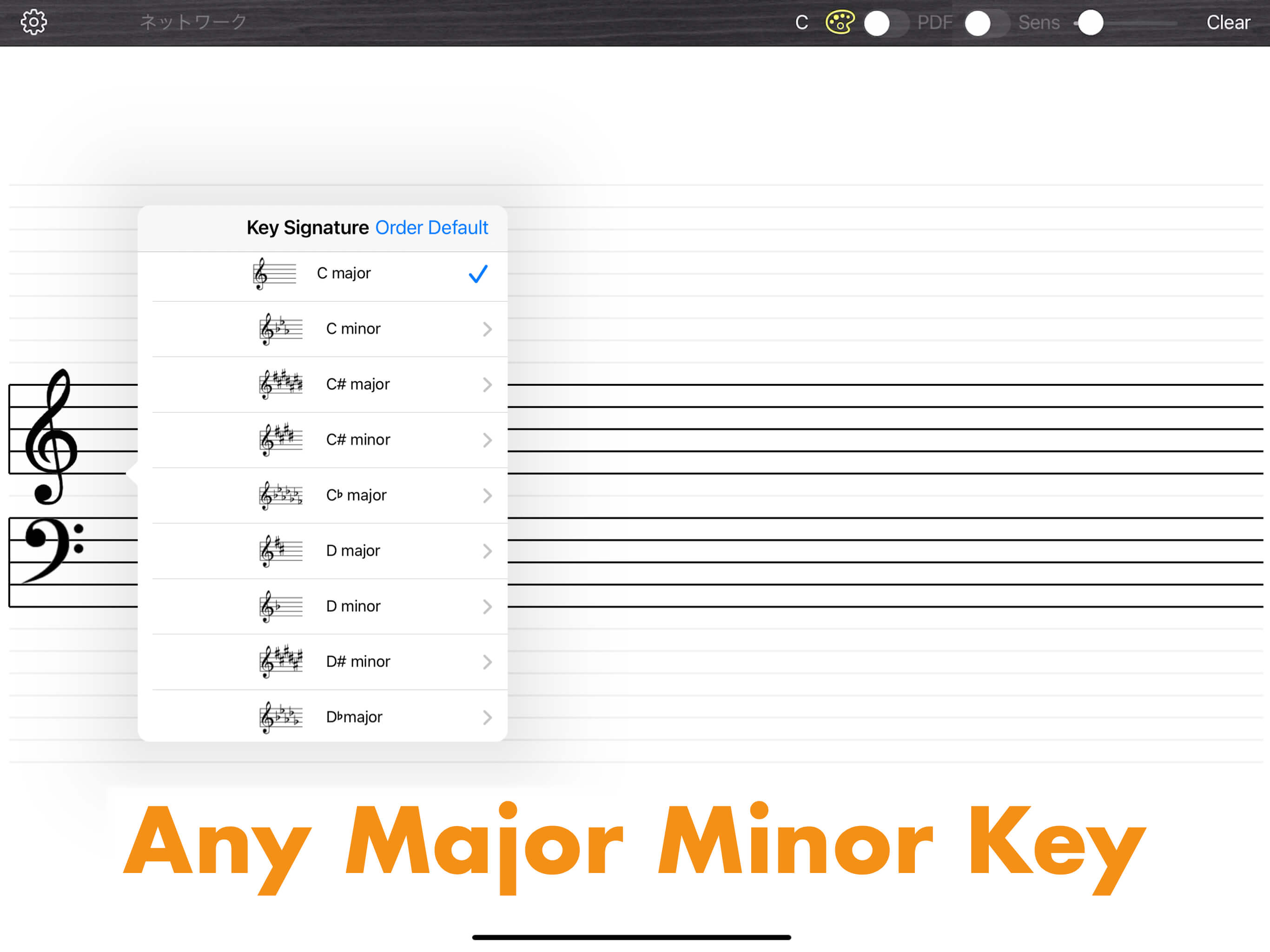
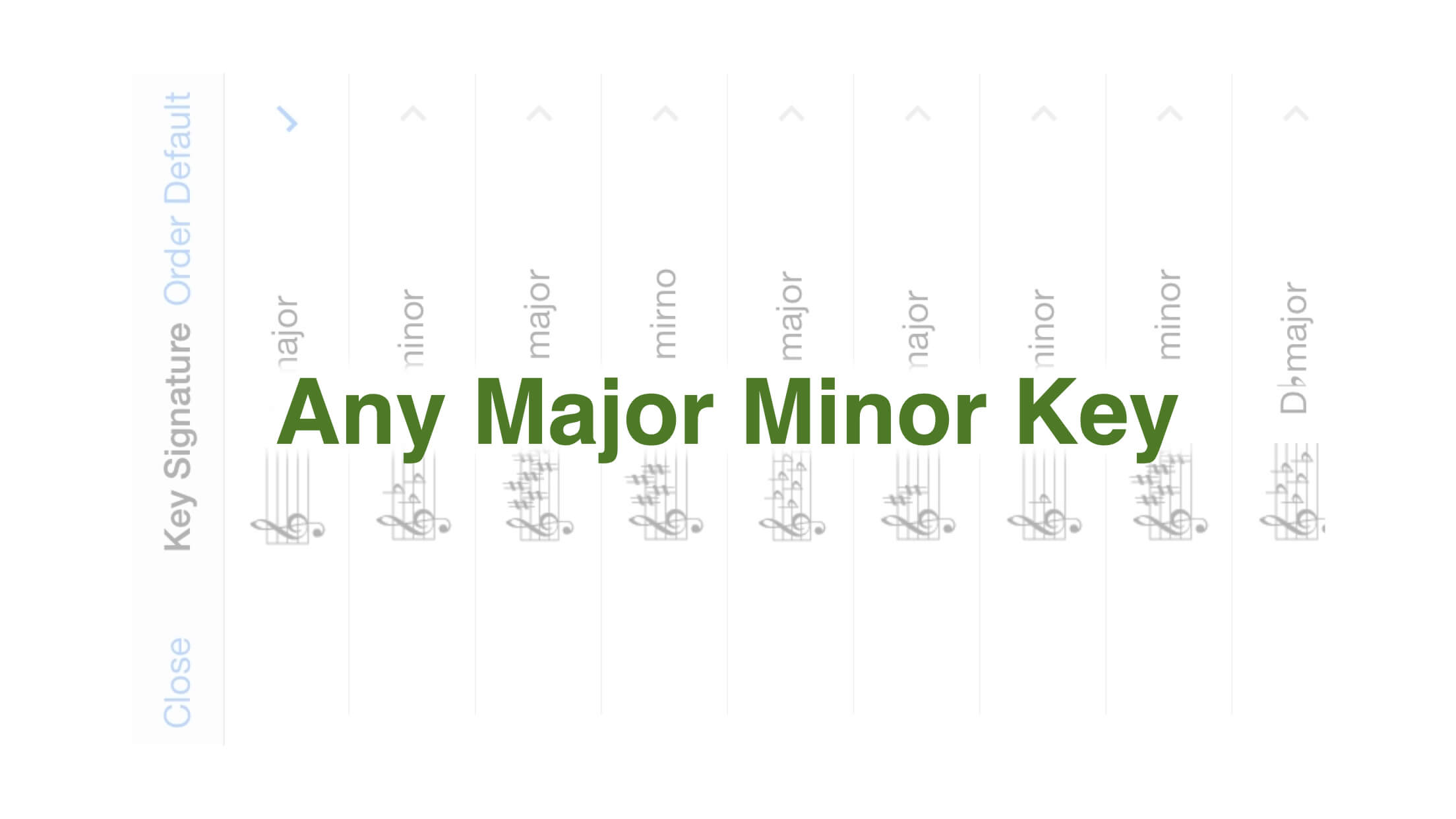
- Supports key signatures (interpretation may cause note positions or accidentals to differ from the sheet music)
iPad
iPhone
First Piano Experience
Comparing sheet music to the keyboard and adjusting your fingers is hard work. This app might help a little.
*Note duration is not supported.
MIDI Piano/Keyboard Required
This app displays sheet music corresponding to the keys you play by connecting to pianos, digital pianos, keyboards, synthesizers, etc. with MIDI OUT terminals.
PDF Display Available
The iPad version allows simultaneous PDF display. Export data from other apps, save it to PiaNote, and enjoy casual piano practice.
News & Updates
| 2023/08/08 | Ver.1.0.0 | First release |
Tested MIDI Interfaces
- IK MULTIMEDIA iRig MIDI
- YAMAHA i-UX1
If you have tested other interfaces, please let us know.
Disclaimer & Notes
- Depending on key signature interpretation, note positions or accidentals may not match the sheet music exactly.
- We cannot compensate for any damages resulting from the use of this app.
- For connection details, please refer to your MIDI interface manual. We cannot respond to connection inquiries.
- If notes don't appear on screen when you press keys, check that "Device" in the upper left is recognized correctly, and that MIDI IN data is reaching iOS. Or try restarting the app.
System Requirements
- iOS 14.0 or later
- iPad / iPhone
Menu Languages
- Japanese
- English
* Product specifications may differ from the latest release version.
If you would like to introduce this app in detail on the Internet, we have special support available. Please contact us.