
Sound Trek Voyager - Display Sampling Frequency of Playing Audio Device
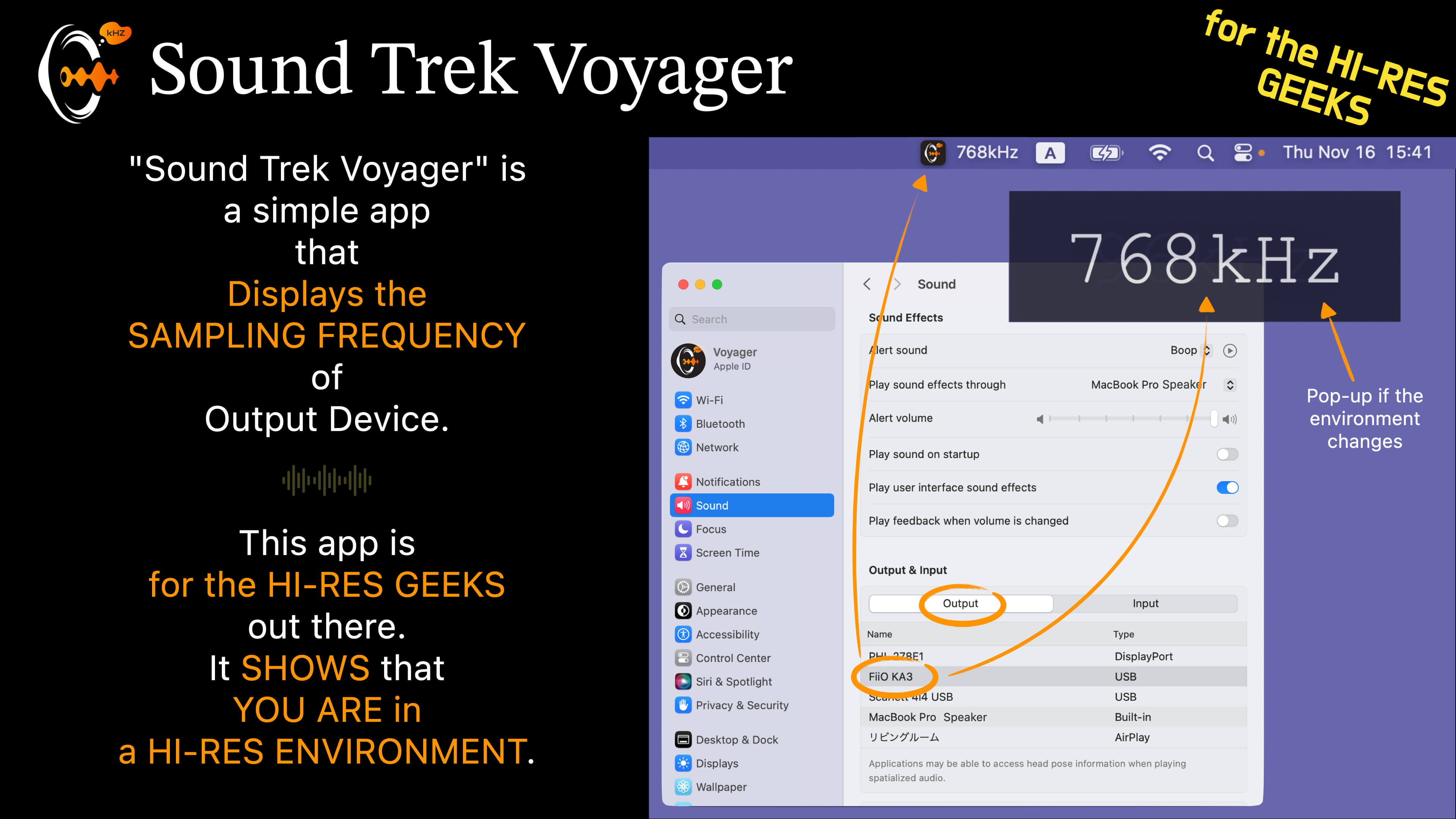
"Sound Trek Voyager" is a macOS menu bar app that answers one question at a glance: is what you're hearing right now really hi-res? It keeps the sample rate and name of your active audio output device in the menu bar at all times.
Starting with Ver 2.0, it also renders a real-time spectrum analyzer of your system audio — with no additional software whatsoever. No sound-routing apps, no virtual-device setup. Just launch, press play, and your Mac becomes an audio visualizer.
Free to download. Unlock every feature with a single one-time In-App Purchase (US $4.99; a special ¥400 in Japan), after a 14-day free trial of everything. Owners of the original paid version (v1.x) are upgraded to the full version automatically — just tap Restore.

The spectrum analyzer, now standalone (Ver 2.0+)
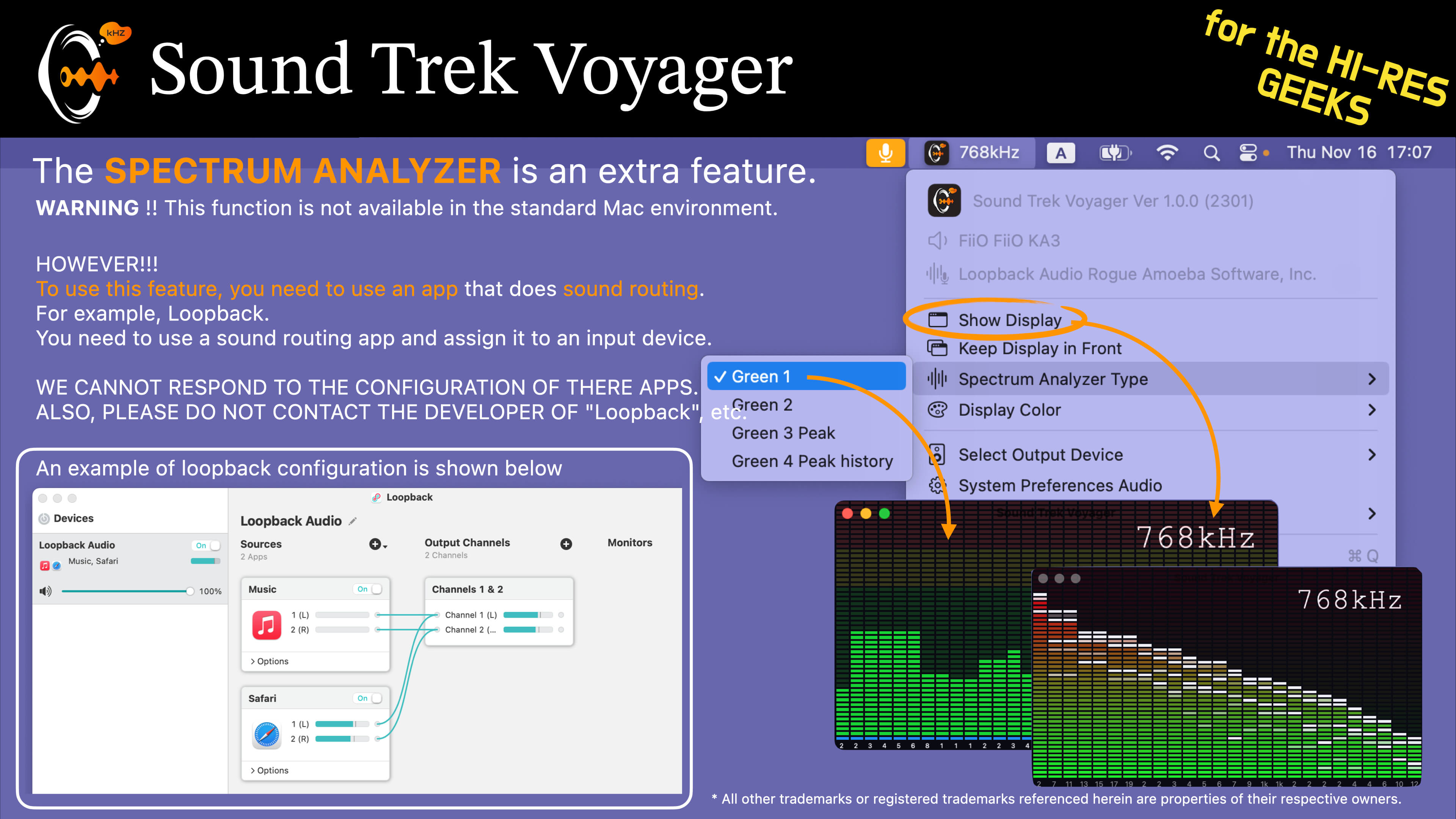
macOS offers no standard way to analyze what is currently playing, so a music spectrum analyzer traditionally required a paid sound-routing app (some cost around $100) or a virtual audio device, plus routing configuration. Ver 2.0 and later adopt Core Audio's Process Tap API to analyze the system playback mix on its own — Music.app, browsers, any app. Setup is a single "Allow" click on the first-run permission dialog.
No extra software required
Press play and the analyzer comes alive — no sound-routing apps, no virtual audio device setup. Choose from 14 analyzer designs inspired by music scenes and cities around the world, and reskin your desk to match your mood.
Compatibility
Direct system-audio analysis (standalone spectrum analyzer) requires macOS 14.2 or later. On macOS 13.1–14.1, or if you decline the permission, the app automatically falls back to the classic input-device analysis (microphone or a virtual audio device).
Explanation
Main Functions
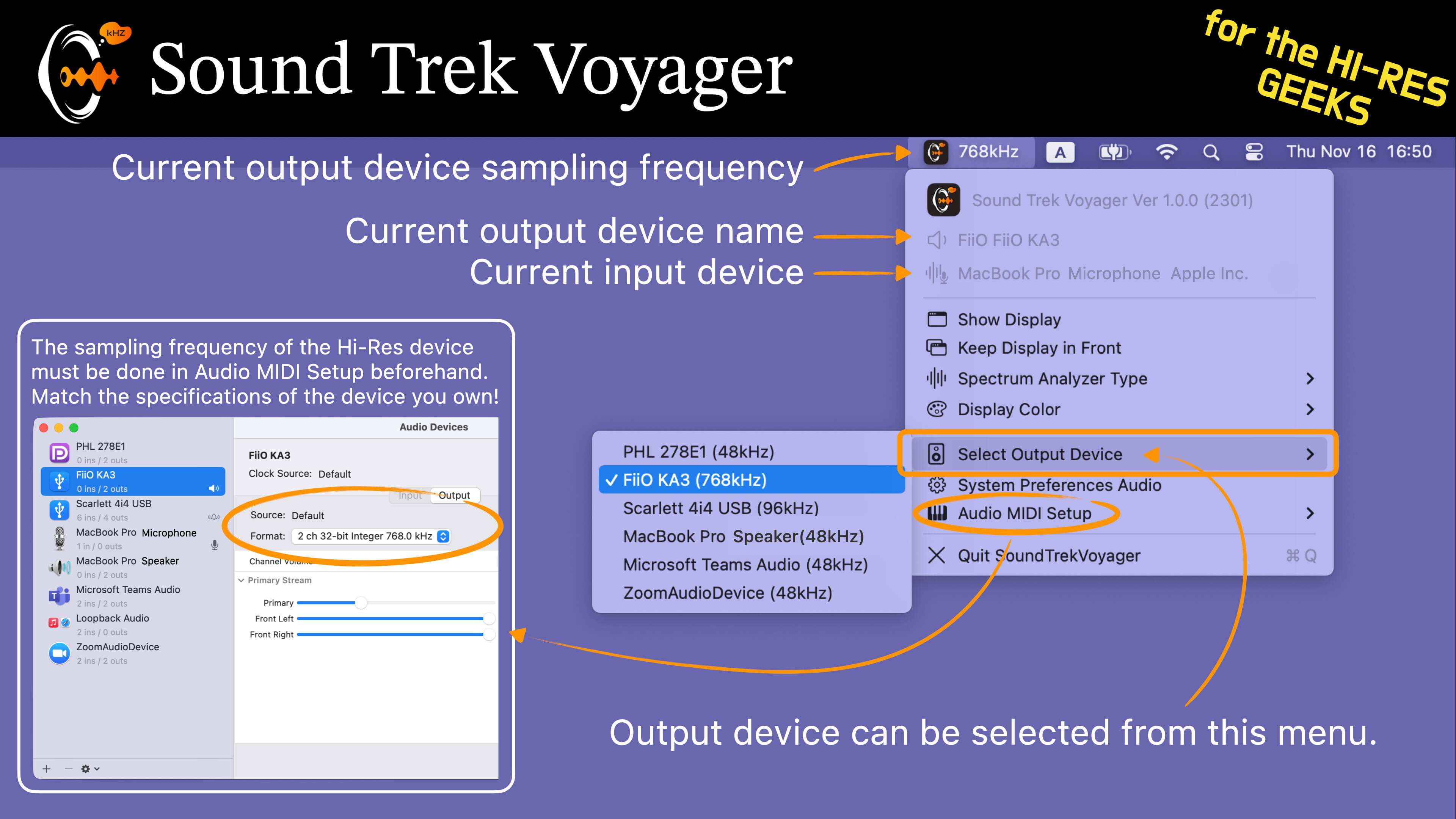
- Always-on sample rate display of the active output device in the menu bar
- Output device name shown alongside; switch device right from the menu
- Instantly tell hi-res (96/192 kHz) from CD quality (44.1 kHz)
- Standalone spectrum analyzer — analyzes the system playback mix with no extra software (macOS 14.2+)
- 14 analyzer designs, real-time FFT (31 / 21 / 15-band layouts)
- Spectrum Scale display modes: Measured / Enhanced
Pricing
- Free to download; 14-day free trial of every feature
- One-time In-App Purchase to unlock: US $4.99 (¥400 in Japan)
- No subscription — buy once, use forever
- v1.x paid-version owners: tap Restore to unlock the full version for free
Disclaimer / Notes
- We cannot be held responsible for any defects or damages resulting from the use of this application. Please use it at your own risk.
System Requirements
- macOS 13.1 or later
- Standalone spectrum analyzer requires macOS 14.2 or later (older systems fall back to input-device analysis)
Menu Language
- English
Update History
| 2026/07 | Ver.2.0.1 | Standalone spectrum analyzer (system-audio, macOS 14.2+), 14 designs, Spectrum Scale; moved to free + one-time In-App Purchase with a 14-day free trial. v1.x owners upgraded via Restore. |
| 2023/11/20 | Ver.1.0.0 | Initial Release |
* Product specifications may differ from the latest release version.